For property managers
Track a property's recurring costs
Tell Wealthru what a property costs to hold every month or every year, such as insurance, property tax and condo fees. These recurring costs keep the property’s cash flow and yearly NOI true.
Before you start
- Financial analytics is a Pro and up feature. On Free the Financials tab is not shown.
- A recurring cost is a forecast, not a payment. It does not go in your books, your statements or your T776. A payment you actually made is an expense (see Record an expense).
Add a cost on the page
- Open the property and choose Financials, under Money.
- Under Recurring operating costs, pick the kind of cost, type the amount and choose Monthly or Annual. Add a description if you like.
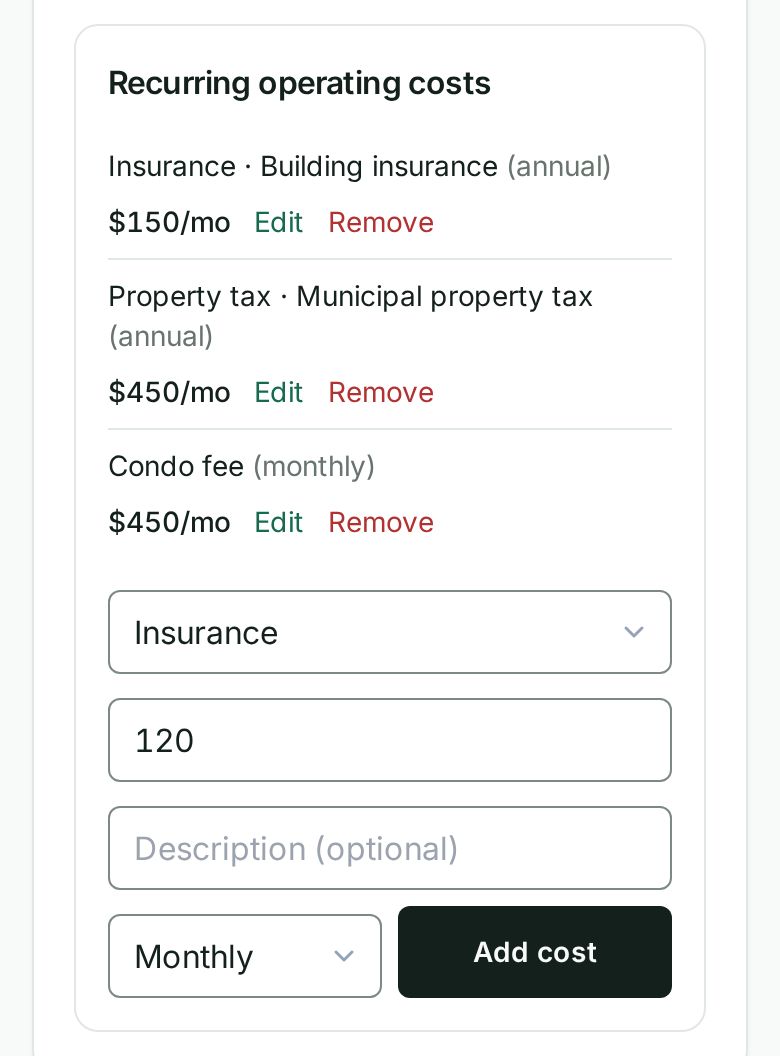
- Choose Add cost. It appears in the list as a monthly figure, and the headline numbers above update.
To change one, choose Edit beside it, change what you need, then choose Save.
Say it instead
You can also set a recurring cost by saying or typing it.
- Press Cmd K (or Ctrl K), or on a phone tap Say or type at the top of the screen.
- Say what it costs and how often. For example, insurance per month is 120, property tax for the year was 4,800, or condo fees per month is 450.
- Tap the kind of cost. The one you named is offered first, and Wealthru always asks rather than guessing.
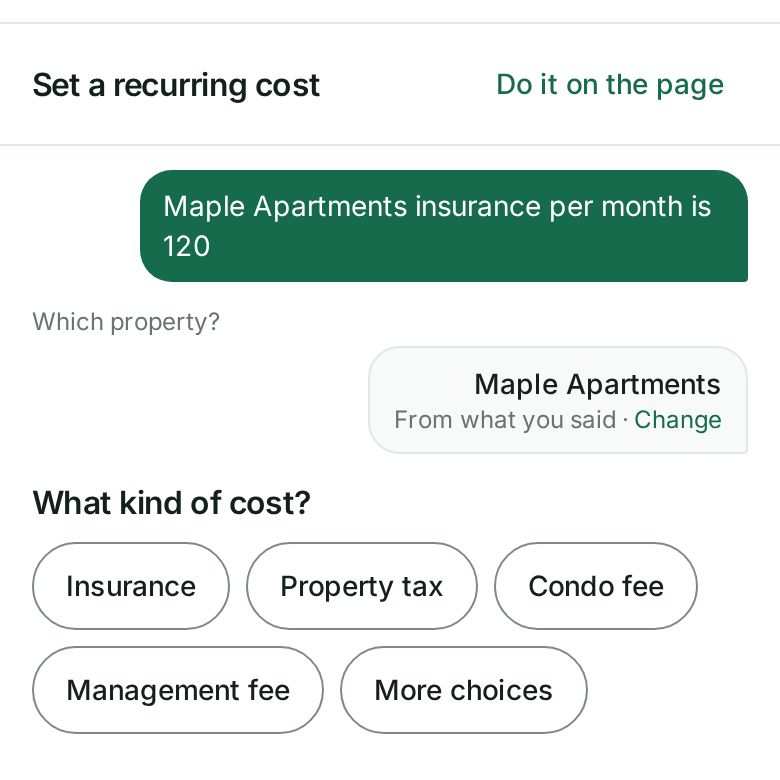
- If you already have a cost of that kind on this property, choose Replace to change it or Add another to keep both.
- Check the card. It shows the monthly and yearly figures your forecast will count, then choose Yes, record it.
Paid one of these already? The receipt offers Also record a payment you already made, with the property, the kind and the amount filled in. Nothing is recorded until you confirm that card too.
Do it on the page is there at every step. It opens the Financials tab with your answers already in the cost form.
What happens next
- Operating cost, Monthly cash flow, NOI (yearly) and Annual cash flow on the Financials tab include the cost straight away.
- A yearly cost counts as one twelfth each month. A property tax of $4,800 a year counts as $400 a month.
- Until a property has a recurring cost, its operating cost is estimated from your recent expenses. Once you add one, the operating cost is the recurring costs you list, so add each one you pay.
Troubleshooting
- You do not see Financials. It needs the Pro plan or higher.
- The same cost shows twice. Choose Remove on the extra one. Saying it again offers Replace so it does not happen by accident.
Was this helpful?