For property managers
Give your accountant the year-end package and the books
Four reports on the Reports page are made for your accountant. Each one reads your books as they are recorded in Wealthru, filters by date, and downloads as a PDF or a spreadsheet.
- Trial balance: the total debits and credits of every ledger account for a period, and whether they balance. Its totals are the General ledger page's, to the cent.
- General ledger detail: every posting for a period, by account, with the running balance. Filter it by account or by amount.
- GST/HST: the GST/HST you paid on expenses, which part could be an input tax credit, and what you collected. Rent is an exempt supply, so Wealthru records no GST/HST collected and says so. For a year, the total equals the GST/HST line of your T776.
- Year-end package: one PDF of a calendar year, in six parts: the ledger P&L (read from the period trial balance), trial balance, the T776, GST/HST, the capital schedule, and the deposits you held at year end. Each deposit shows its principal and the interest it owed on December 31, and their sum sits beside the deposit liability in your books.
Run the year-end package
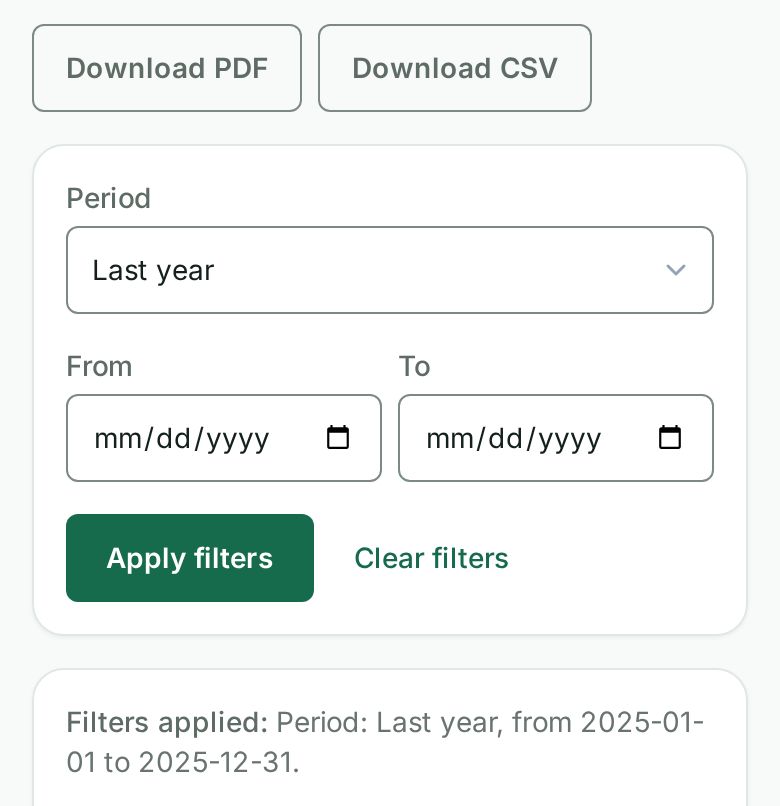
Open Reports, then Year-end package. Choose Last year in the period, or type January 1 and December 31 of the year you want, and select Apply filters. The package covers one calendar year at a time. Select Download PDF for the one file your accountant needs.
The year-end package is your whole account's books, so the account owner runs it. A property manager runs the trial balance, the ledger detail and GST/HST for the properties they look after.
Share it with a link
Your accountant does not need a sign-in. Create an accountant link for one tax year from the Tax page. The link opens the T776 package and, below it, the four reports for that year only, each with its PDF and CSV.
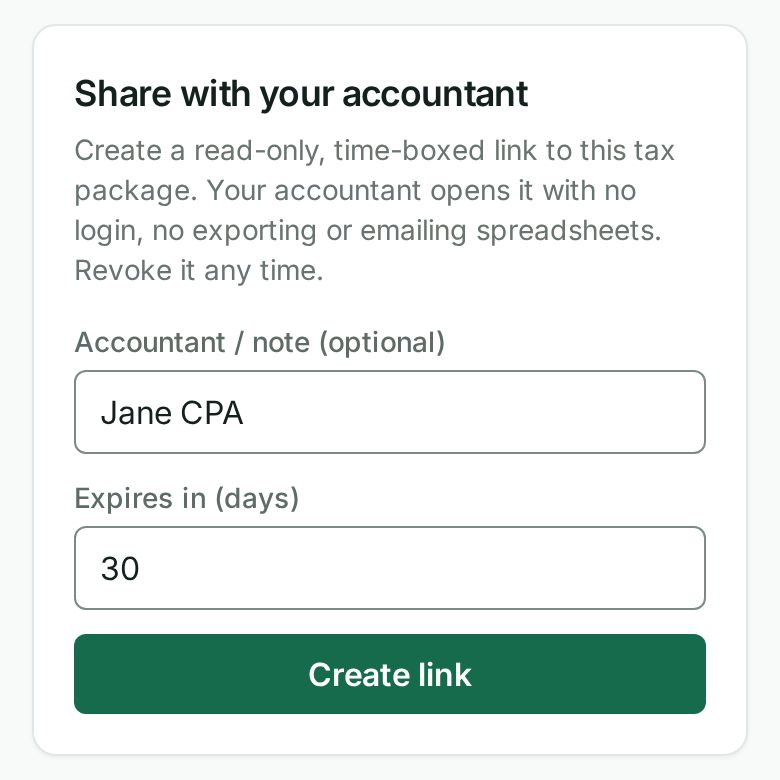
- The link is read-only and shows that one year. It cannot be changed to another year or another account.
- The general ledger detail shows each posting's description, and the year-end package lists the deposits you held with each tenant's name. Share a link only with someone you would hand those books to.
- It stops working when it expires, or as soon as you revoke it.
- Each time your accountant opens a report, your activity log records it. A refused attempt, like an expired link, is recorded too.
- A link you made before these reports existed still opens the T776 package only. Your list says T776 package only beside it. To share the reports, create a new link.
Ask for it by name
With Talk to Wealthru on, say "year-end package for last year", "trial balance for last year" or "gst report", and Wealthru opens that report.
To send it, say "send the year-end package to my accountant". Wealthru asks the year, your accountant's address and how long the link works, then shows what they will be able to open and until when. It emails the link, never the package itself. See Ask about your net worth and cash flow, and email a PDF.
*Tooling, not tax advice. Your accountant decides what is filed.*
En français
Ouvrez Rapports puis Dossier de fin d’année, choisissez l’année dernière et Télécharger le PDF. Vous pouvez aussi dire « balance de vérification » ou « dossier pour mon comptable ».
Quand vous utilisez Wealthru en français, la page que votre comptable ouvre avec le lien de partage est en français, tout comme le PDF et le CSV du dossier T776 (« État des loyers de biens immeubles »). Chaque ligne porte le nom que lui donne l’ARC et son numéro reste le même. Les comptes du grand livre, comme « Revenus de location » ou « Réparations », sont aussi nommés en français dans la balance de vérification et le grand livre détaillé. Le CSV garde le même ordre de colonnes et des montants simples, comme 1234.56, pour qu’une formule fonctionne dans les deux langues.
Was this helpful?