For property managers
Connect payouts so online payments reach your bank
How this works
WealthruTenantOutside service
Online rent settles into the LANDLORD account, or is not collected
Safety checkPay charge
Card payment is processed securely
via Stripe PaymentsPayment recorded
Done automatically
Online rent goes straight from your tenant to your own bank account. Wealthru never holds it. That means online payment only switches on once your payout account is connected.
Before you start
- You need to be the account owner to connect payouts. A property manager can see the setting but cannot complete it.
- Have your business or personal details and a bank account ready. The payment provider asks for identity and banking information directly, and Wealthru never sees your full account number.
Steps
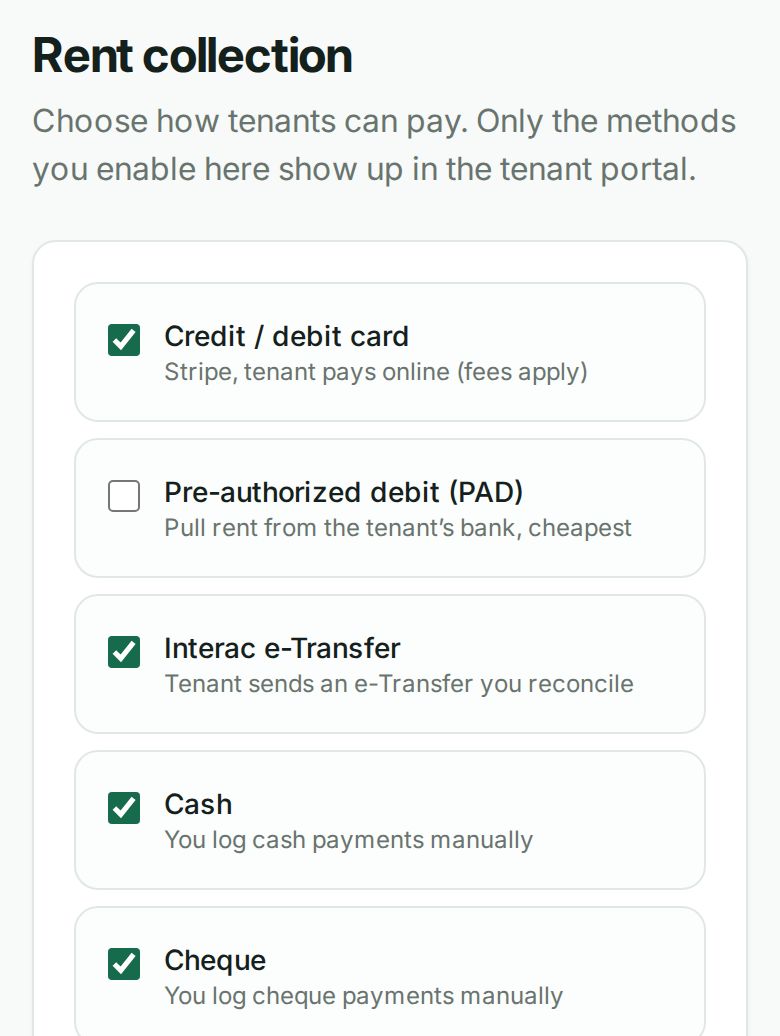
- Go to Rent collection in your settings. The methods your tenants can use are at the top.
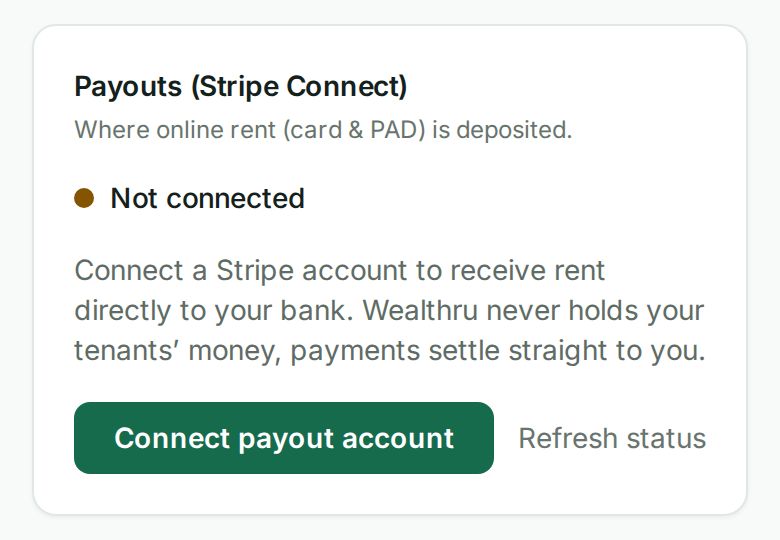
- Find Payouts (Stripe Connect), then choose Connect payout account.
- Complete the provider's steps for identity and banking. This opens in their secure window.
- Come back to Wealthru. The Payouts card shows your status once the provider confirms you can accept charges.
What happens next
- Card and pre-authorized debit become available to your tenants, using whichever methods you have turned on under Rent collection.
- Every online rent payment settles into your connected account. Wealthru is never the recipient, so your rent is never sitting in our balance waiting to be passed on.
- Interac e-Transfer, cash and cheque do not go through the payment provider, so they work whether or not payouts are connected.
Troubleshooting
- "Online rent is paused" on the Rent collection page. Your payout account is not connected yet, or the provider has not finished checking it. Card and pre-authorized debit stay hidden from your tenants until it is done. Your tenants can still pay by e-Transfer, cash or cheque, and you can log those against the balance as usual.
- The card toggle is on but tenants do not see it. Same cause. The toggle is your preference and the payout connection is what makes it usable. Both have to be in place.
- The provider asked for more information. Choose Finish setup on the same card and finish their steps. Your status updates on its own once they clear you.
- Automatic collection did not run. Pre-authorized debit and autopay also need the payout connection. Until it is in place those collections are skipped rather than taken, so nothing is pulled from a tenant's bank into the wrong account.
Was this helpful?