For property managers
Accept, change or deny what your agent proposes
When you connect your own AI agent to Wealthru, it can read your account and suggest things for you to do, like logging an e-Transfer that came in. It never does them itself. Each suggestion waits for you as a proposal, and nothing happens until you accept it.
Asking your agent to fix something
On the Pro and Portfolio plans, you can tell your agent in chat what to change, like "add November's rent for Unit 807" or "record the $340 condo fee". Your agent shows you a preview of exactly what Wealthru will save, and a link. Open the link and Wealthru shows that one proposal on Today. Tap Accept, check the card, and say yes. For a change that moves money, that card is a second confirmation of the amount, the date and the record it goes to.
Your agent can only suggest a change if the consent screen listed suggesting changes when you connected it. If it says it can only read, disconnect it in Settings and connect it again from your agent. The consent screen lists suggesting changes when your agent asks for it.
Where proposals show up
On Today, under Needs you, and at the top of Approvals. The count beside Needs you includes them. If there are more than fit, the list says how many there are and Show more loads the rest.
Each proposal shows:
- what it is, in Wealthru's own words ("Log a rent payment"), and exactly what it will record
- who proposed it
- In their words: the reason the agent gave and what it saw, such as the text of an e-Transfer notice. This is written by someone else and Wealthru has not checked it, so read it as a claim, not as a fact.
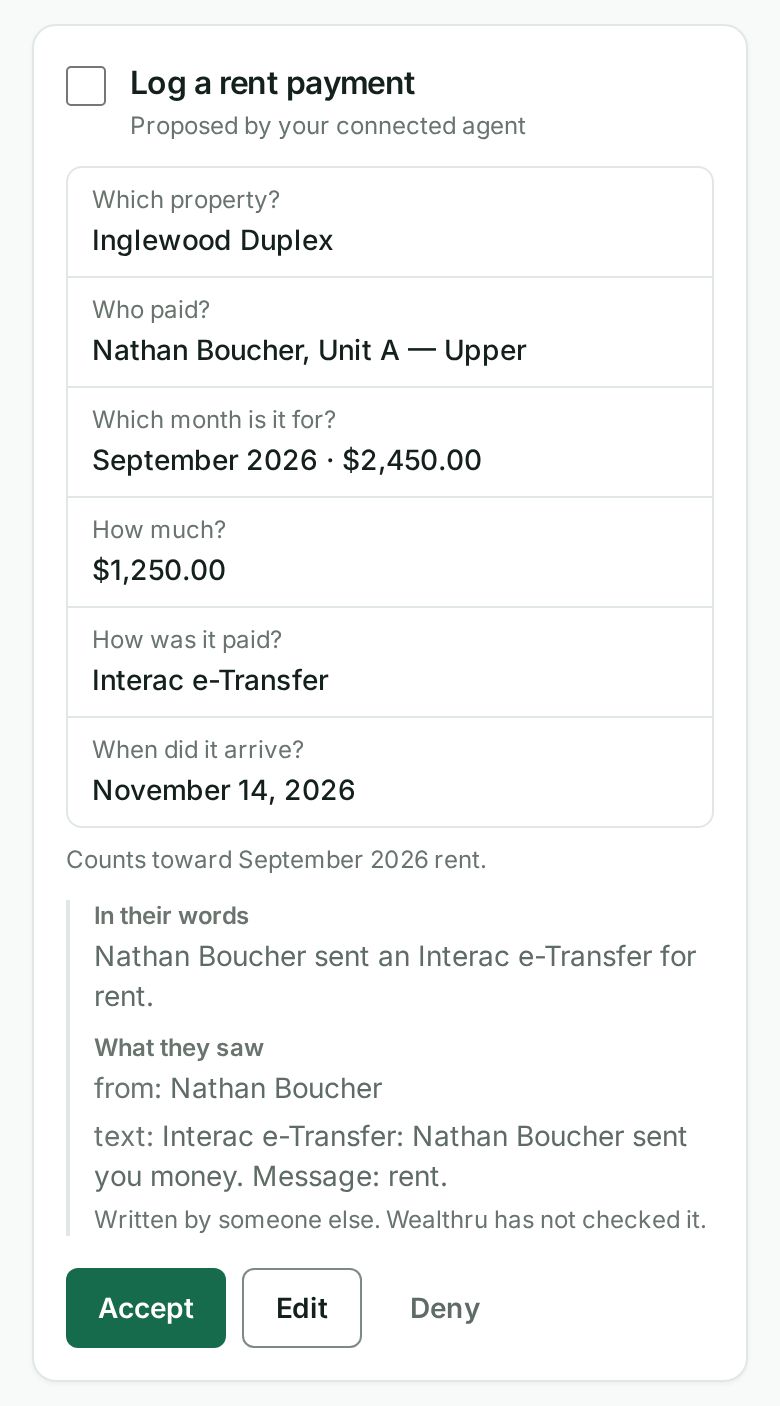
Accept it
- Tap Accept. Wealthru checks the proposal again and shows you exactly what will be recorded.
- Tap Yes, record it.
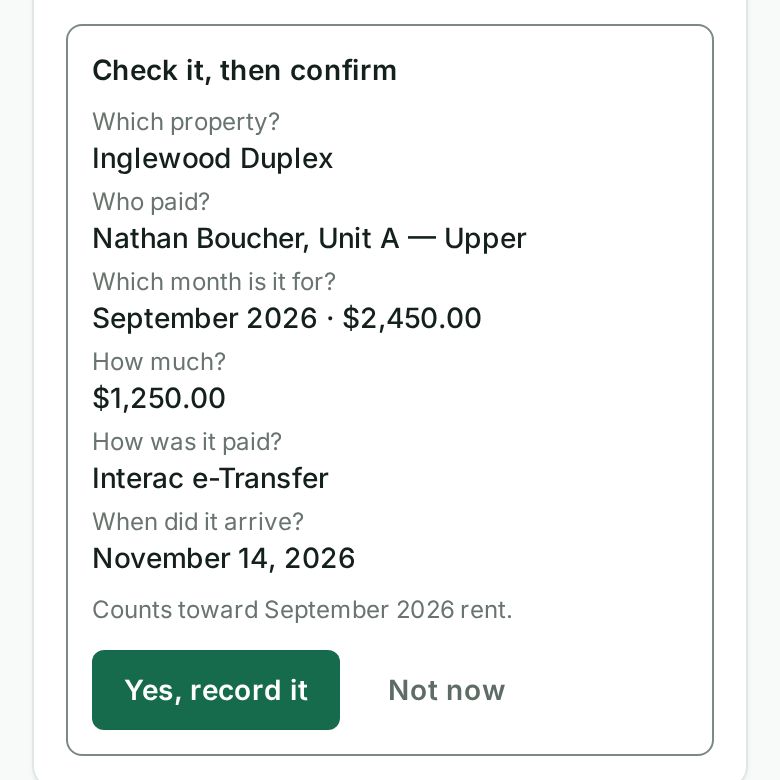
It is recorded through the same form you would use yourself, so a proposed rent payment posts exactly what Record a payment would, once, even if you tap twice. If your role needs an approver, it says so and waits for sign-off like your own posting would.
If Wealthru cannot record it (for example the date is in a closed accounting period), the proposal stays open and shows the reason. Nothing is saved.
Change it first
Tap Edit to open the proposal in the conversation with its answers filled in. Tap any answer to change it, then confirm. What you confirmed is what gets recorded.
Deny it
Tap Deny and choose why, such as Wrong amount or I already handled this outside Wealthru. If you choose Something else, say what went wrong, so it stops being suggested.
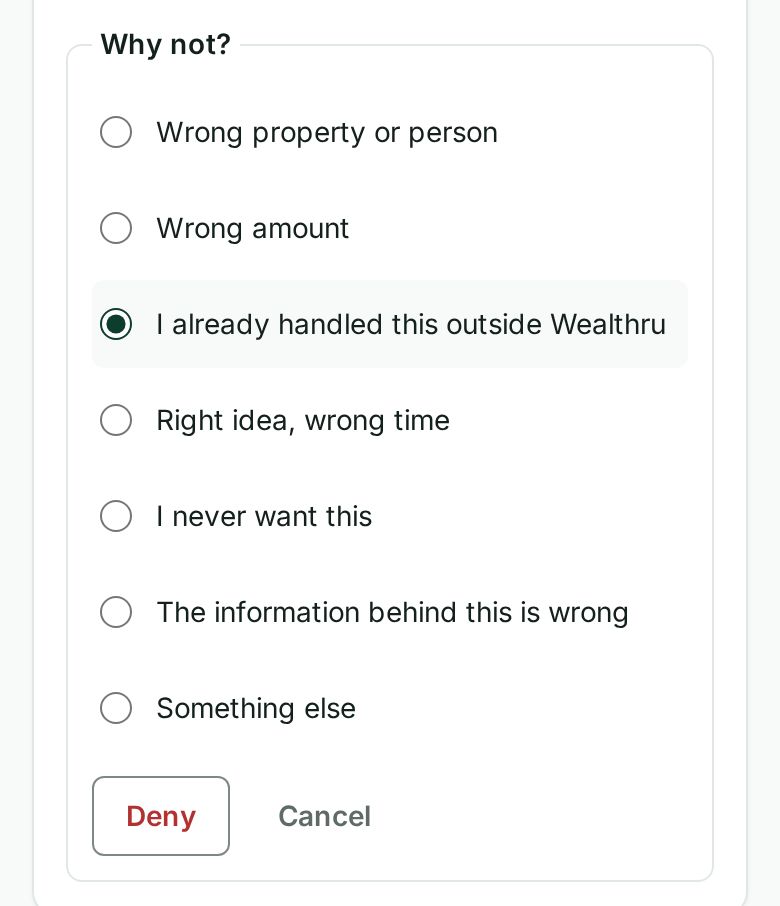
To clear several at once, tick them, tap Deny selected, choose one reason, and confirm. Accepting several at once is not available yet.
Troubleshooting
- "This proposal was already decided." Someone else accepted or denied it first. Nothing was saved, and the list refreshes.
- "This proposal changed since you opened it." Someone edited it after you opened it. Tap Accept again to see the current version.
- "A record this proposal names is no longer available." The lease or record it was about has changed, so it can only be denied.
- I don't see any proposals. Proposals need the Pro or Portfolio plan and a connected agent. A property manager sees only proposals for the properties they manage.
Was this helpful?