For property managers
Move a tenant credit into a deposit
Sometimes a tenant pays a deposit, like last month's rent at move-in, and it gets logged as an ordinary rent payment. Wealthru then treats that money as a tenant credit, and a credit is applied to the next rent charge automatically. So next month's rent would quietly be paid by money that was meant to be held, and the deposit section says nothing is held.
You can fix this without recording any money twice. Moving a credit into a deposit doesn't move any money. It changes what the money already in your books is for.
The short version
- Open the lease, choose the Money tab, and find Security deposits.
- Choose Move credit to a deposit.
- Pick the payment it came in on, the deposit type, the amount, and the date the tenant really paid it.
- Choose Move to deposit. The deposit is now held and the credit is gone.
Step by step
- Open the lease and choose the Money tab.
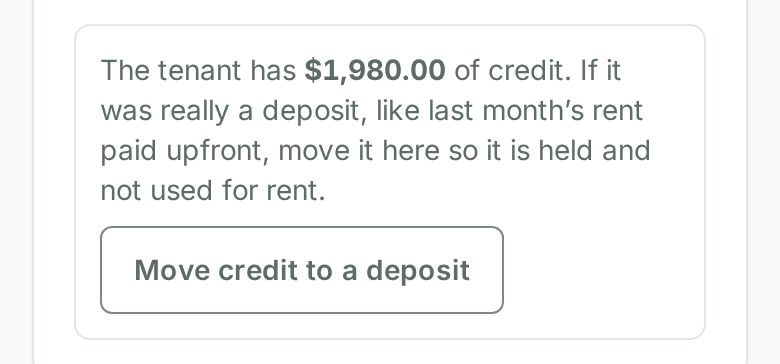
- Under Security deposits, you'll see how much credit the tenant has. Choose Move credit to a deposit. If you don't see the button, the tenant has no credit to move.
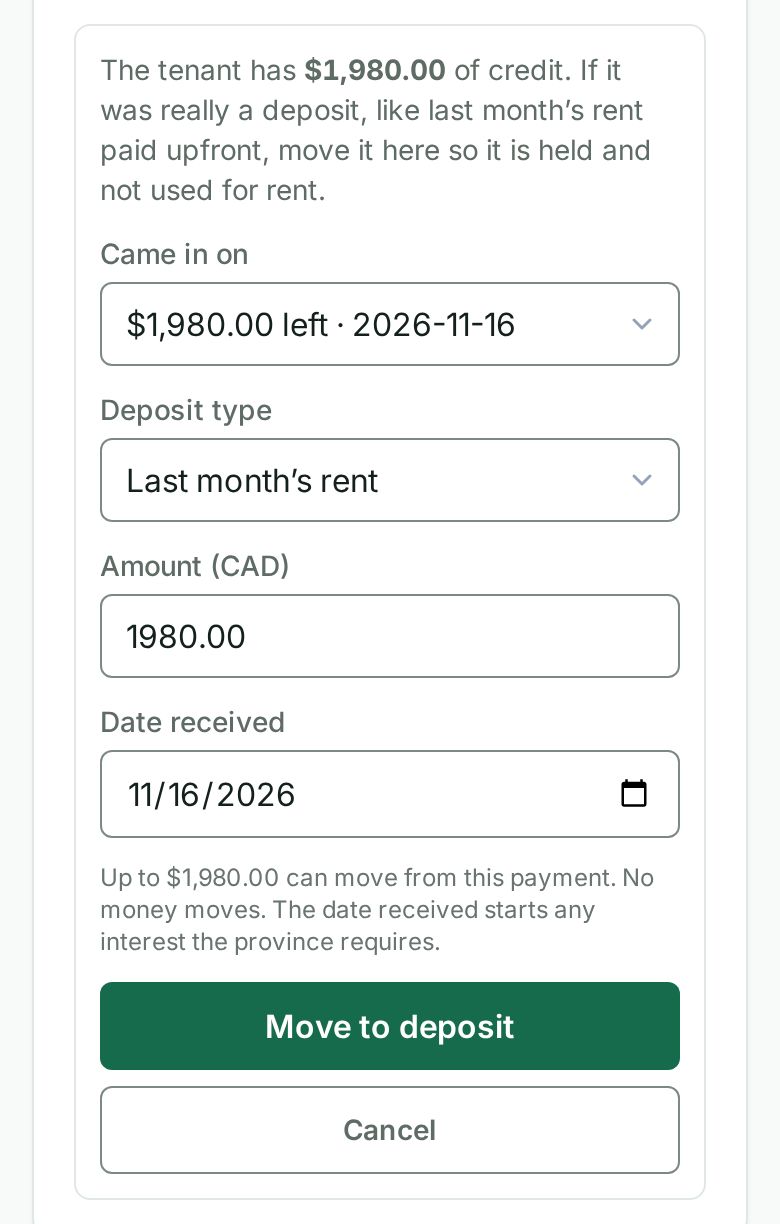
- Under Came in on, pick the payment the money arrived with. For last month's rent this is usually the move-in payment.
- Under Deposit type, pick Last month's rent (or the type it really was).
- Check the Amount. Wealthru fills in the most that can move: the tenant's credit, or what is left on that payment, whichever is smaller.
- Under Date received, enter the day the tenant actually paid it. This matters in provinces that require interest on deposits, because interest starts from that day.
- Choose Move to deposit. You'll see that the amount is now held as a deposit.
What changes, and what doesn't
- The deposit section shows the deposit as held.
- The tenant's credit goes down by the amount, so it no longer pays the next rent.
- The refund history lists the move as Moved to a deposit with the status Held as a deposit. It isn't money paid back, and the payment isn't marked refunded.
- Your books move the amount from tenant credits into the tenant deposit liability. Nothing goes through cash, because the money was banked when the payment arrived and it never left.
What Wealthru won't let you do
- Move more than the tenant's credit. The rest of the money is paying rent, and moving it would make paid rent owed again.
- Move more than is left on the payment.
- Hold a deposit your province doesn't allow, or more than your province allows for this tenancy. Ontario, for example, allows a last month's rent deposit but no damage deposit. See Record the deposit you hold.
- Enter a date received in the future.
- Move a credit on a tenancy that has been archived, or was never signed. Once a tenancy has ended, last month's rent is applied when you settle the deposit at move-out.
Only an account owner or an approving manager can move a credit, because it moves the tenant's money. If you are an operator-level manager, ask one of them.
Undo a move
Delete the deposit. Under Security deposits, delete the deposit you moved, and the credit comes back exactly as it was. Nothing is erased: the move stays in the refund history as Undone. You can't undo a move from the refund history's Reverse button, because that would give the credit back while the deposit was still held.
Ask Wealthru or your AI agent to do it
You can also say "move the credit to a deposit" to Wealthru. If you've connected an AI agent, it can suggest the move for you. Either way you see a card showing what will change, and you approve it in Wealthru. See Connect your own AI agent.
About interest
In some provinces you owe the tenant interest on a deposit every year, starting from the day they paid it. Ontario requires interest on a last month's rent deposit. Wealthru works it out from the date received you entered. This is tooling, not legal advice. Check your province's rules, or see Find your province's rules.
Was this helpful?